What the app does for you
See where every amount comes from
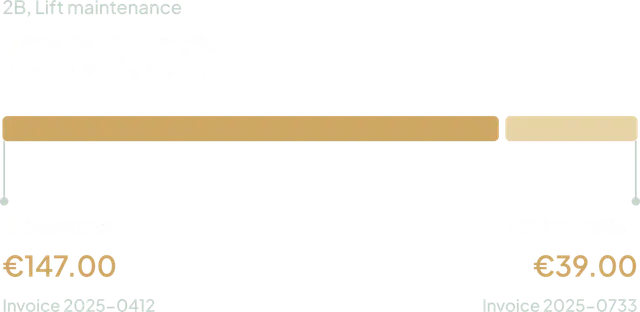
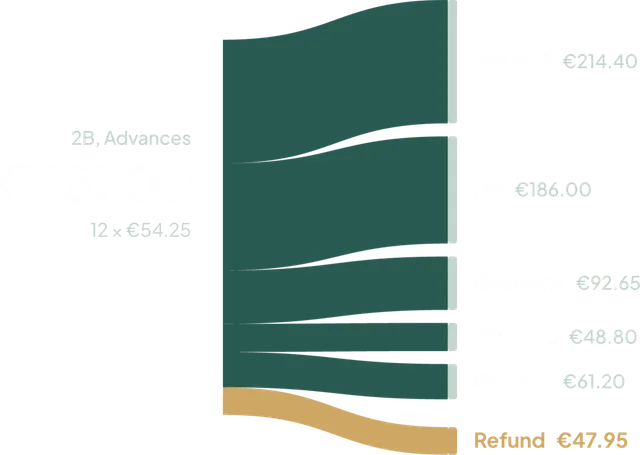
For each statement you see the bookings it is built from. The lift maintenance of €1,240.00 consists of two invoices: the annual contract and the inspection. That way you can answer every question a user asks.
Statements in three steps
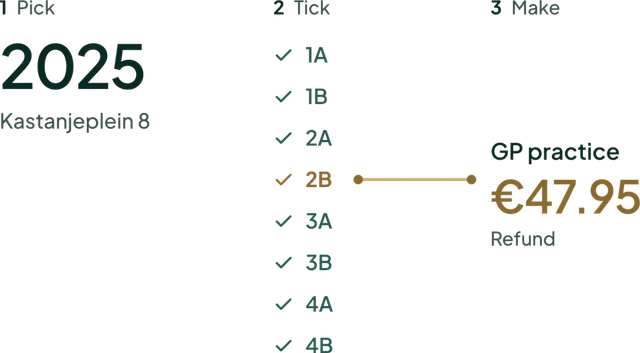
Choose the year and the buildings. Tick the users. Then review each statement before you create them. With one click the app creates a statement per user.
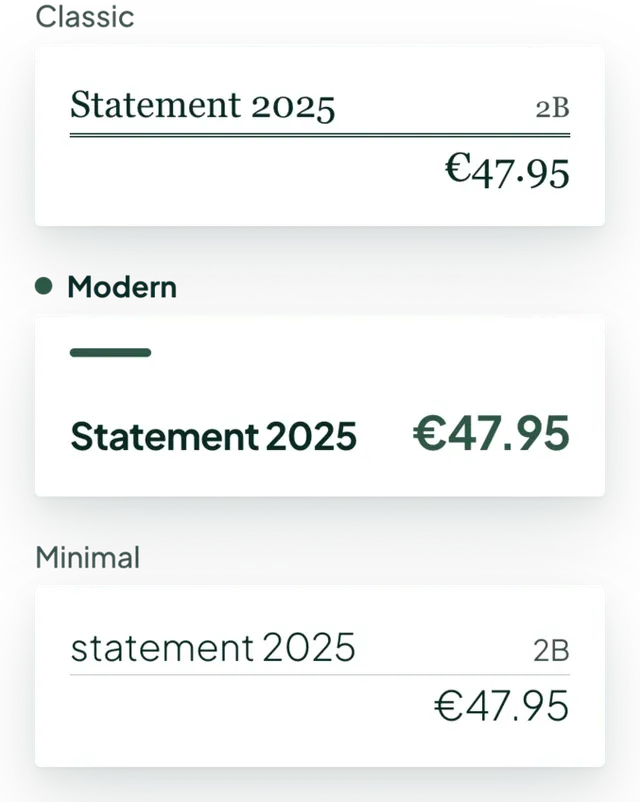
Your own house style
Set your colours and typeface in a template. Choose a style such as Classic, Modern or Minimal. Every statement then gets the same tidy layout.
Settlements 2025
- One user 1 PDF
- Selection of 2 2 PDFs
- Whole building 4 PDFs
Calculation rules without code
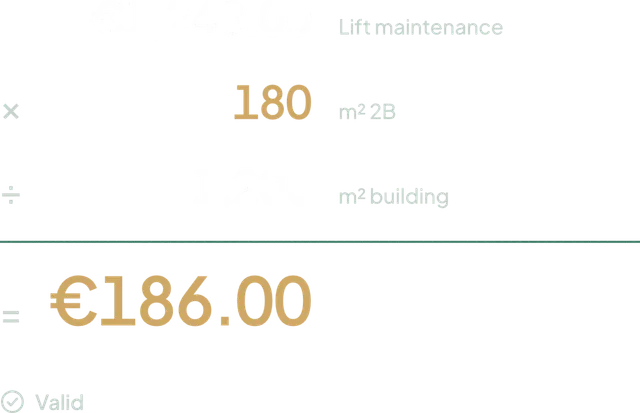
You decide how costs are shared out. You build a calculation rule by dragging blocks into a formula. The app checks the formula at once and shows the result with sample data.
One key per cost
- Lift maintenance Floor area
- Cleaning Equal
- Gardening Own key
Import Excel and CSV
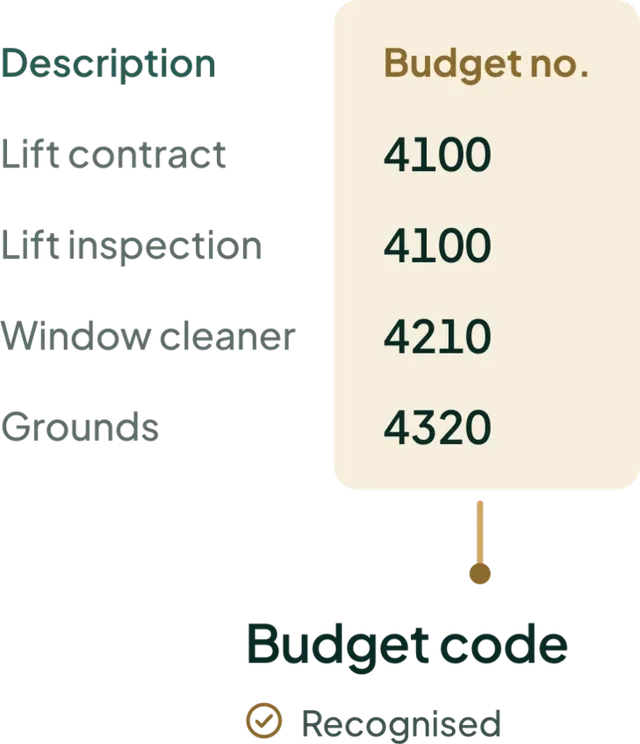
Import bookings from Excel or CSV. You map each column to the right field once. At the next import the app recognises the columns itself.
Columns from your export
- Description Cost item
- Address Building
- Amount Costs
All your data in one place
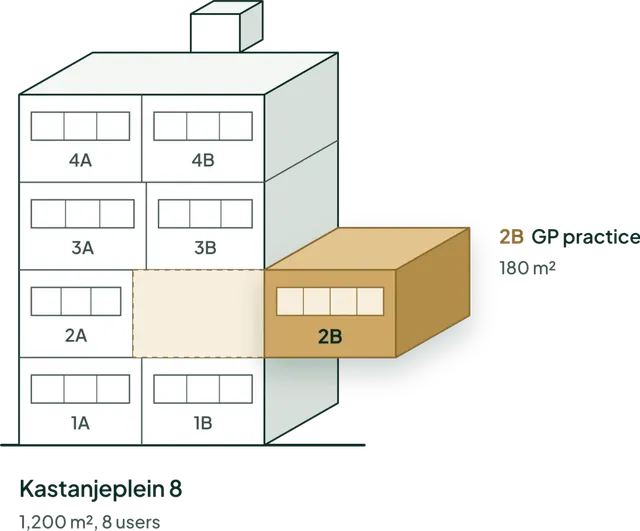
Your buildings and users sit in one app with the contracts and bookings. For each building you see the floor area and the number of users at once.
Spaces of Kastanjeplein 8
- 1A Library
- 2B GP practice
- 3A Childcare
Overview of costs and advances
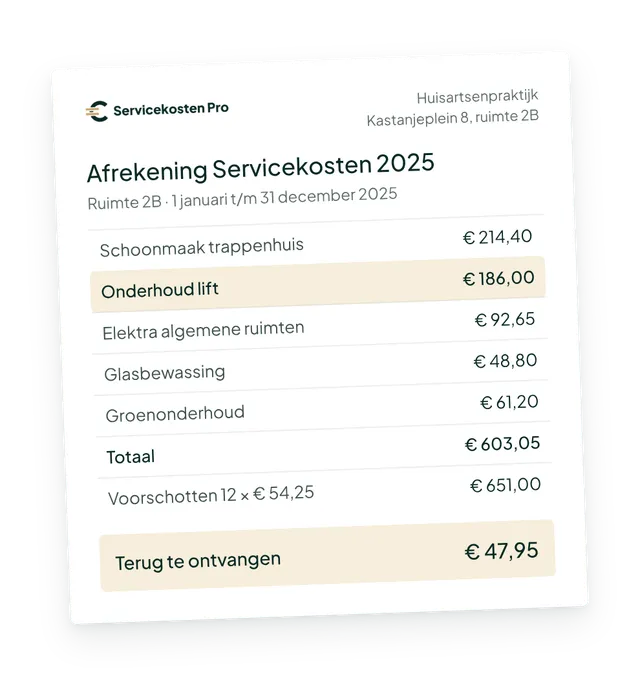
The overview shows the total costs and advances of the year. You also see what is still open and which statements need attention.
Archive of statements
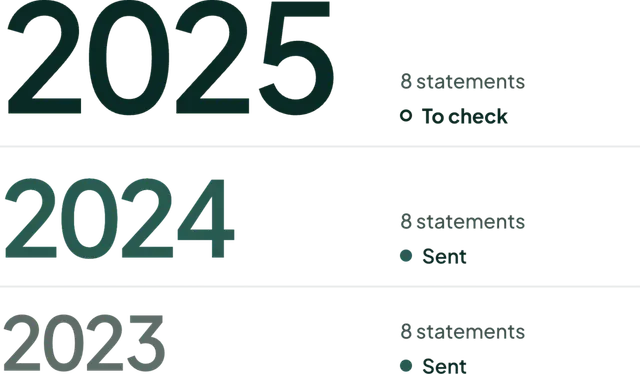
Every statement you create is kept. For each statement you see whether it still needs checking or has been sent. That way you quickly find a statement from last year.
Users and permissions
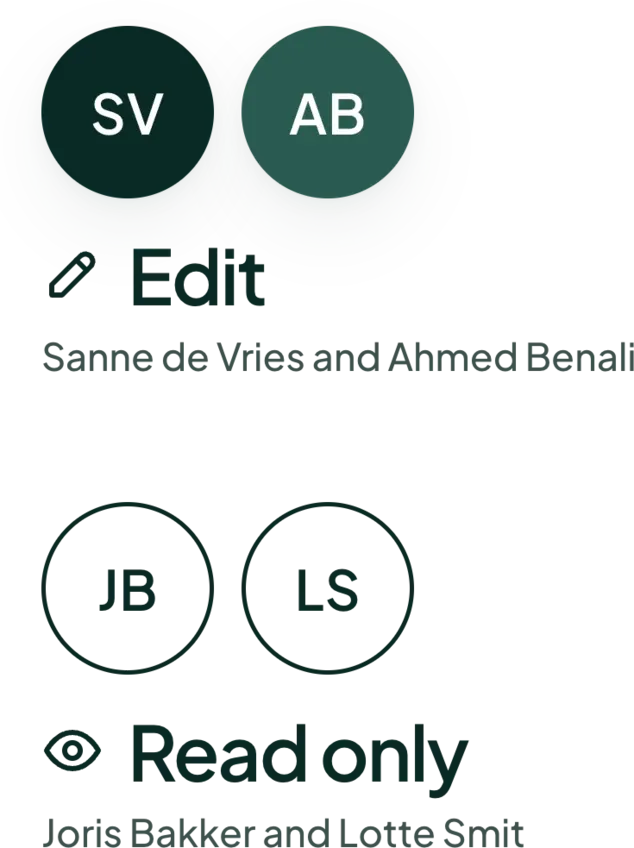
Give colleagues their own account. An account is a full editor or read-only. That way you decide who may change data.
Automatic backups
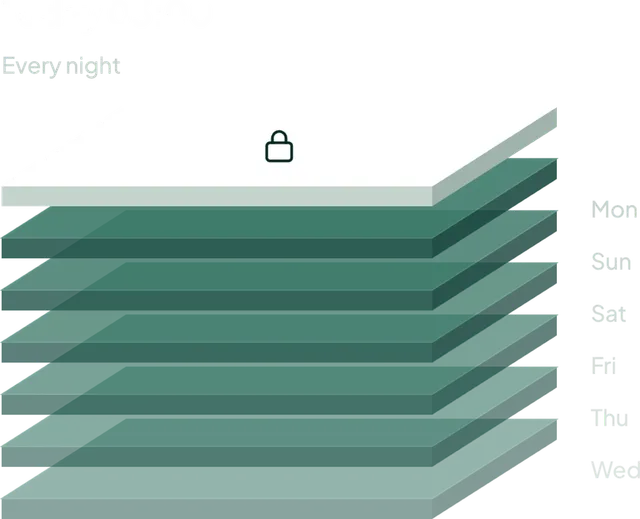
The app makes an encrypted backup of your data every 24 hours. The last seven backups are kept. You can also make a backup yourself.